




A stakeholder update presentation should include the current position against the plan, what changed since the last update, the next work, the risks with their impact, the decisions being requested, and the dependencies with owners and dates. Leave out activity logs, undated status colours, and detail no stakeholder needs to act on.
The hard part is not the six sections. It is deciding how much of each one a given room needs, and building a short and a detailed version without letting the two drift apart.
The six slides everyone gets
The audience here is people affected by the project but not delivering it: sponsors, executives, partner teams, client contacts, a steering group. Their attention on the project is intermittent, so nobody arrives carrying last month's context. Every number needs its comparison, every risk its consequence.
Depth varies by audience; the set does not.
- Position. On plan, off plan, or changed — stated in the slide title, with the single fact that matters most.
- Change since the last update. What moved, what did not, and what that does to the delivery date.
- Next work. The named deliverables in the coming period, with dates.
- Risks with impact. For each: the trigger you are watching, the effect on cost, date, or scope, and the response.
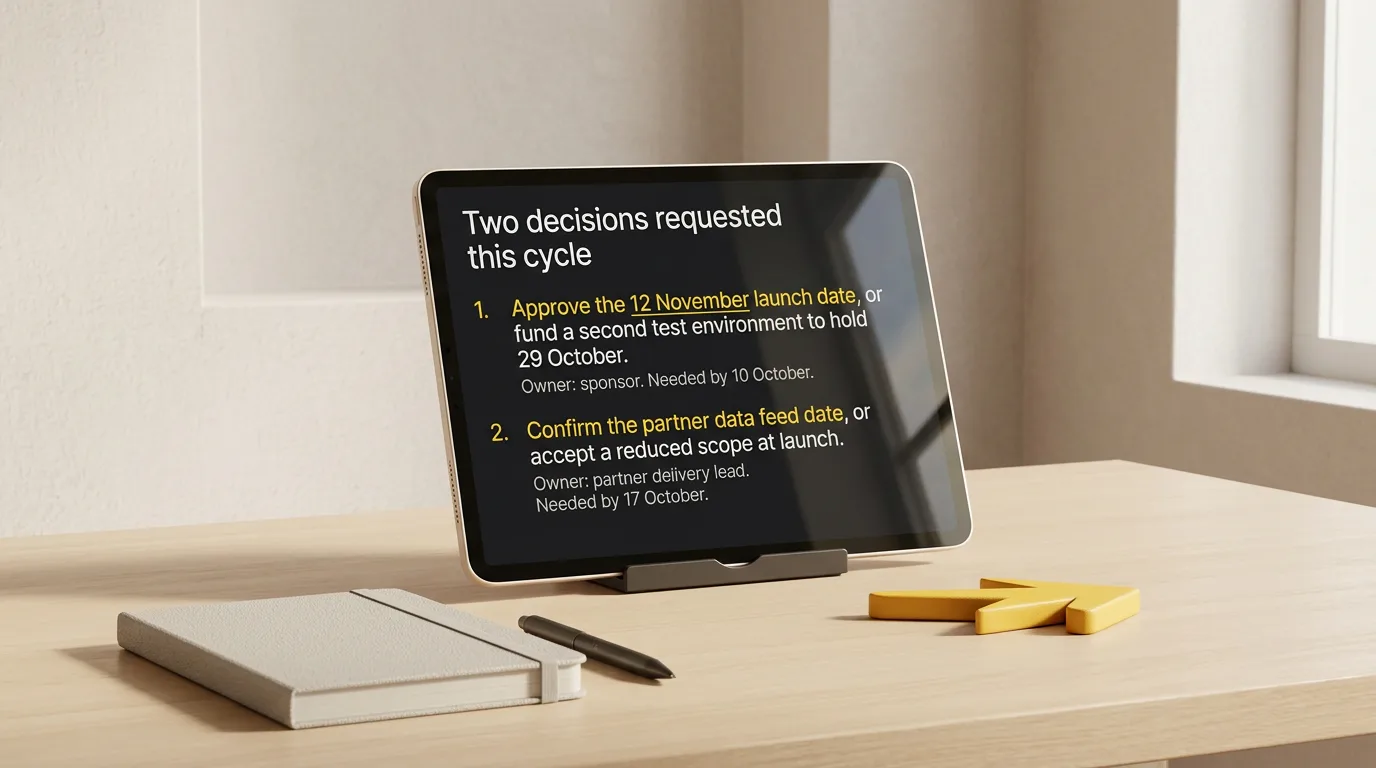
- Decisions requested. One per line, with options, the tradeoff, the owner, and the date the answer is needed.
- Dependencies. What you need from other teams, from whom, by when, and what stalls without it.
The UK government's guidelines for managing projects describe regular highlight reporting as covering progress against the plan, resource and budget status, problems, the impact of issues and changes, upcoming deliverables, and revised forecasts. For a stakeholder audience, impact is the operative word: an issue reported without its effect on cost, date, or scope has not yet reached the room's decision.
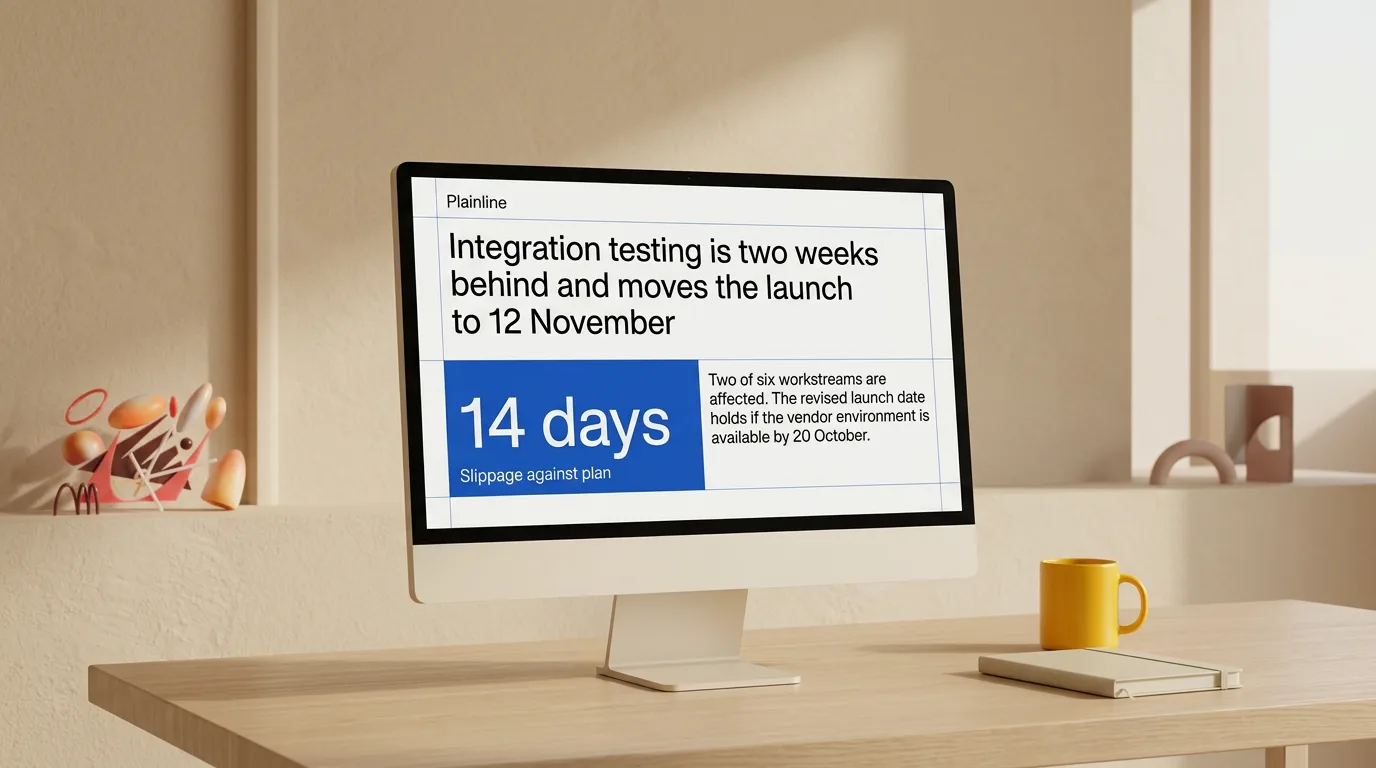
Write slide titles as claims, not topics. "Integration" names a folder; "Integration testing is two weeks behind and moves the launch to 12 November" makes something the room can accept or challenge. Microsoft's PowerPoint accessibility guidance recommends unique, descriptive slide titles so people can navigate a deck; here they also carry the argument.
Segment detail by what each stakeholder controls
Before choosing depth, write each group next to the thing it actually controls. That list tells you which sections to expand and which to compress.
| Stakeholder | What they control | What they need in the deck | What to cut |
|---|---|---|---|
| Executive sponsor | Budget, scope, escalation | Position, the decision requested, risks with cost or date impact | Workstream detail, task lists, method |
| Steering group | Priorities across projects | Position against plan, tradeoffs, dependencies on other projects | Team-level progress, tooling |
| Delivery leads in other teams | The dependency you are waiting on | The specific ask, date, and what stalls without it | Your internal metrics, budget |
| Client or partner contact | Acceptance, their side of the timeline | Committed dates, changes affecting them, what you need from them | Internal risks they cannot act on, staffing |
| Finance or PMO | Forecast, reporting compliance | Budget status, revised forecast, change requests | Design detail, qualitative feedback |
The test for any slide: name the group it is for and the action it enables. A slide that fails both is appendix material — retrievable when asked, not presented.
What to leave out
Four things fill stakeholder decks and change nothing. Activity logs — meetings held, tickets closed, pages written — record motion where the room needs results against a plan, a target, or the previous value. Undated status colours record a mood: amber with no reason, no consequence, and no reassessment date should either get those three or go. Charts nobody will read: if the decision is unchanged when you remove the chart, remove it, and if a single value carries the meaning, show the number. And recaps of context the room already has — project background belongs in the first update of a programme, not the ninth.
Anything cut goes to a labelled appendix. Answering a specific question in the meeting is worth more than having pre-empted it on a slide.

Build a short and a detailed version from one source
The failure mode of maintaining two decks is divergence: the short one says the launch holds, the detailed one shows a slipped dependency. Write one source update in text and cut both versions from it.
- Draft the update as prose — the six sections above — before opening any presentation editor.
- Tag each paragraph with the stakeholder group that needs it. Untagged paragraphs are appendix material.
- Cut the short version first. Five slides: position, the one or two decisions requested, the evidence behind the position, the risks that could change it, and the ask with owner and date.
- Extend into the detailed version by adding workstream progress, the full risk register, budget status, and the revised forecast. Same headline sentences, more depth beneath them.
- Reconcile before sending. Read the short version's claims against the detailed version's numbers. Any conflict is a fact problem, not a formatting one.
- Regenerate both from the source when things change. Editing one deck by hand is how the two start to disagree.
| Short version | Detailed version | |
|---|---|---|
| Audience | Sponsors, executives, steering group | Delivery leads, PMO, partner teams |
| Length | About five slides | Eight to twelve plus appendix |
| Opens with | Position and requested decision | Position and change since last update |
| Risks | Only those that change the conclusion | Full register with owners and triggers |
| Numbers | Headline against plan | Breakdown by workstream and forecast |
| Ends with | Named ask, owner, date | Next work, dependencies, appendix index |
For a delivery audience specifically, the project status update presentation format carries the extra workstream detail. When the short version is going to a room that controls budget and direction, the executive update structure puts the conclusion and the ask ahead of the evidence.
When the source material is not a memo yet
Most updates start as something rougher. If yours is a meeting record, turn the notes into a decision record first so decisions, open questions, and next steps are separated before anything becomes a slide. If it is a long written report, extract the findings and implications before deciding what each group sees.
Turn your written update into a stakeholder deck
The thinking — what the position is, which risks matter, what you are asking each group for — stays yours. The mechanical part is splitting the text into slides, choosing compositions, aligning elements, and keeping typography consistent across two versions every cycle.
Plainline takes the written update, splits it into slides, identifies which parts are claims, numbers, quotes, or conclusions, and applies consistent layouts. After generation you edit the content, slide order, semantic blocks, layout variants, and media, then preview, share, or export — which makes cutting a short version from the same source a matter of removing slides rather than rebuilding a deck.
Frequently asked questions
What should a stakeholder update presentation include?
The current position against the plan, what changed since the last update, the next work, the risks with their impact, the decisions being requested, and the dependencies with owners and dates. Six to eight slides cover most recurring reviews. Anything that does not change a stakeholder's view or action belongs in an appendix.
How is a stakeholder update different from a status update?
A status update reports the state of the work to people delivering it. A stakeholder update reports the same work to people outside it, so every item carries its impact on cost, date, or scope, and the deck names what each group is being asked to decide, fund, or unblock.
How long should a stakeholder update presentation be?
Five slides suit a steering group with thirty minutes and several projects on the agenda; eight to twelve suit a monthly review of one programme. Length is set by the decisions on the table, not by the amount of work completed.
Should every stakeholder get the same deck?
The same facts, not the same depth. Build one source update, then cut a short version for sponsors and executives and a detailed one for delivery leads, partner teams, and anyone who must act on the specifics. Diverging facts between versions is what erodes trust, not diverging length.
What do I do when there is nothing to report?
Report the absence and its consequence. A period with no movement on a workstream is information if you name why it did not move, what it delays, and when it will be reassessed. Filling the gap with activity slides teaches stakeholders that the deck does not distinguish progress from motion.
Sources
- Guidelines for Managing Projects — UK Department for Business, Innovation and Skills
- Make your PowerPoint presentations accessible to people with disabilities — Microsoft Support