




A project proposal presentation is a short deck that asks a named group to approve or fund a specific project. Ten slides carry it: the decision request, the problem, the evidence, the baseline if nothing changes, the approach, the scope boundary, the resources, the plan, the risks, and the decision repeated as an action. Everything else is appendix.
The hard part is not the count. Most proposal decks describe a project thoroughly and still leave the room unable to say yes, because the ask, the resources, and the date were never stated in one place.
This guide uses a fictional example throughout: a payments team asks for approval to move daily reconciliation from a nightly batch job to a streaming pipeline. The ask is two engineers for one quarter, $40,000 of infrastructure spend, and a decision by 30 September.
Write the decision sentence before the first slide
Before you open an editor, write one sentence containing a verb, a number, a date, and a name:
Approve two engineers and $40,000 of infrastructure spend for Q4 to move payments reconciliation to a streaming pipeline; decision needed from the platform steering group by 30 September.
That sentence becomes slide 1 and slide 10, and it filters the other eight: a slide that does not help someone judge that request belongs in the appendix.
If you cannot write the sentence, the proposal is not ready to present. The meeting will end with the room inventing a smaller decision it can make instead.
The 10-slide project proposal structure
1. The decision request
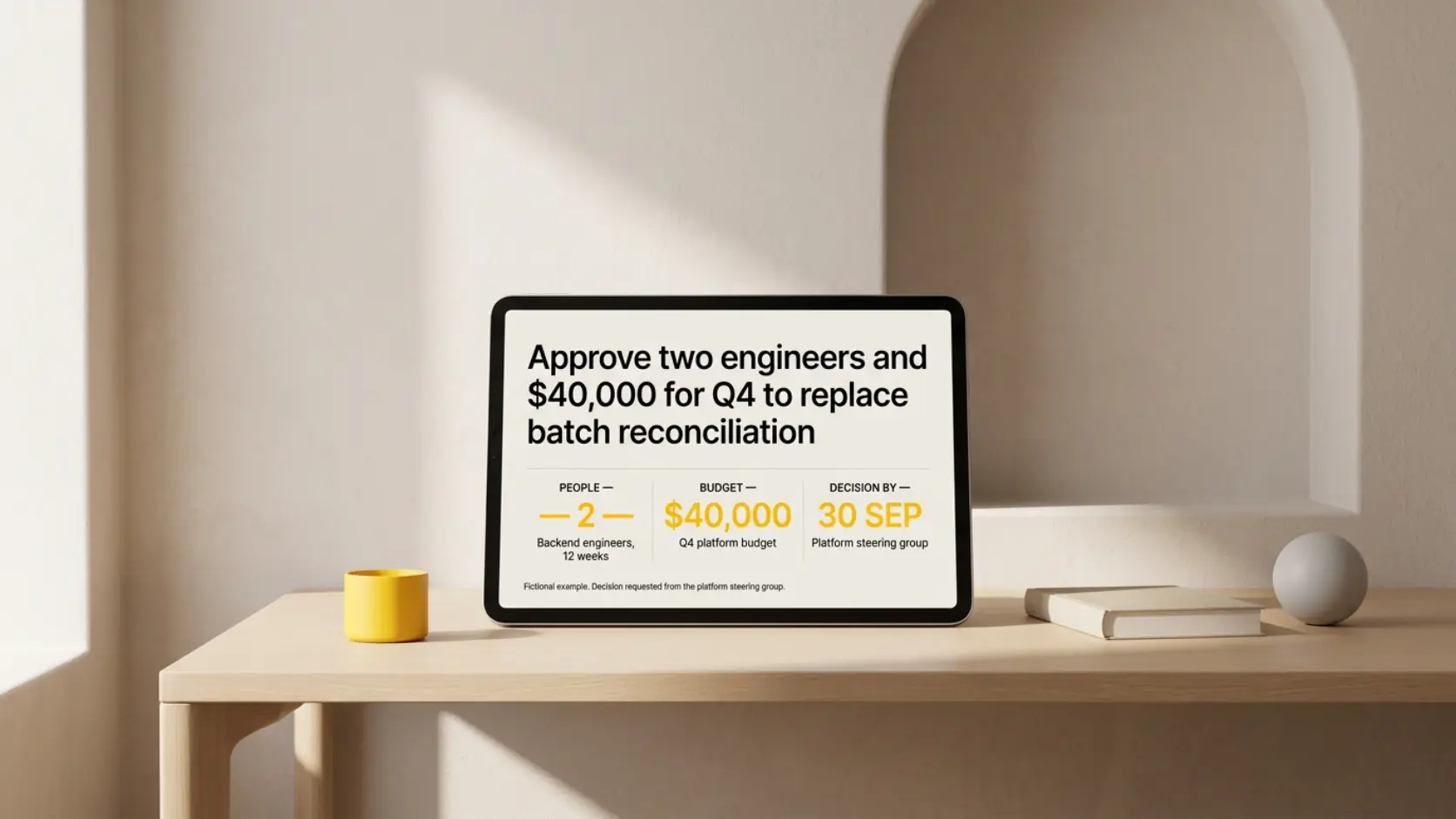
Slide title: Approve two engineers and $40,000 for Q4 to replace batch reconciliation
Put the decision sentence on the slide, then the three numbers under it: people, money, date. Name who decides.
Do not open with an agenda, a team introduction, or a project code name.
2. The problem, stated at the size you can fix
Slide title: Reconciliation breaks are found the next morning, after settlement has already run
Describe the problem as a mechanism, not a mood. "Reconciliation is painful" cannot be approved or rejected. "Mismatches surface twelve hours after the transactions that caused them, so corrections land after settlement" names something a project can change.
Keep the problem at the level your scope reaches. A problem stated larger than your project invites the room to ask why the project is so small.
3. The evidence
Slide title: 41 breaks last quarter, 29 of them found after settlement
Show the measurement, the period it covers, and the definition behind it. One chart or table with the source under it does more than three. If the number rests on a sample, a partial month, or a manual count, say so on the slide rather than in your talk track.
Evidence slides fail in a predictable way: the number is on the slide and the claim it supports is only in the speaker's head. Write the claim in the title and let the number sit beneath it — the same discipline that keeps a research finding from disappearing behind its method.
4. What happens if nothing changes
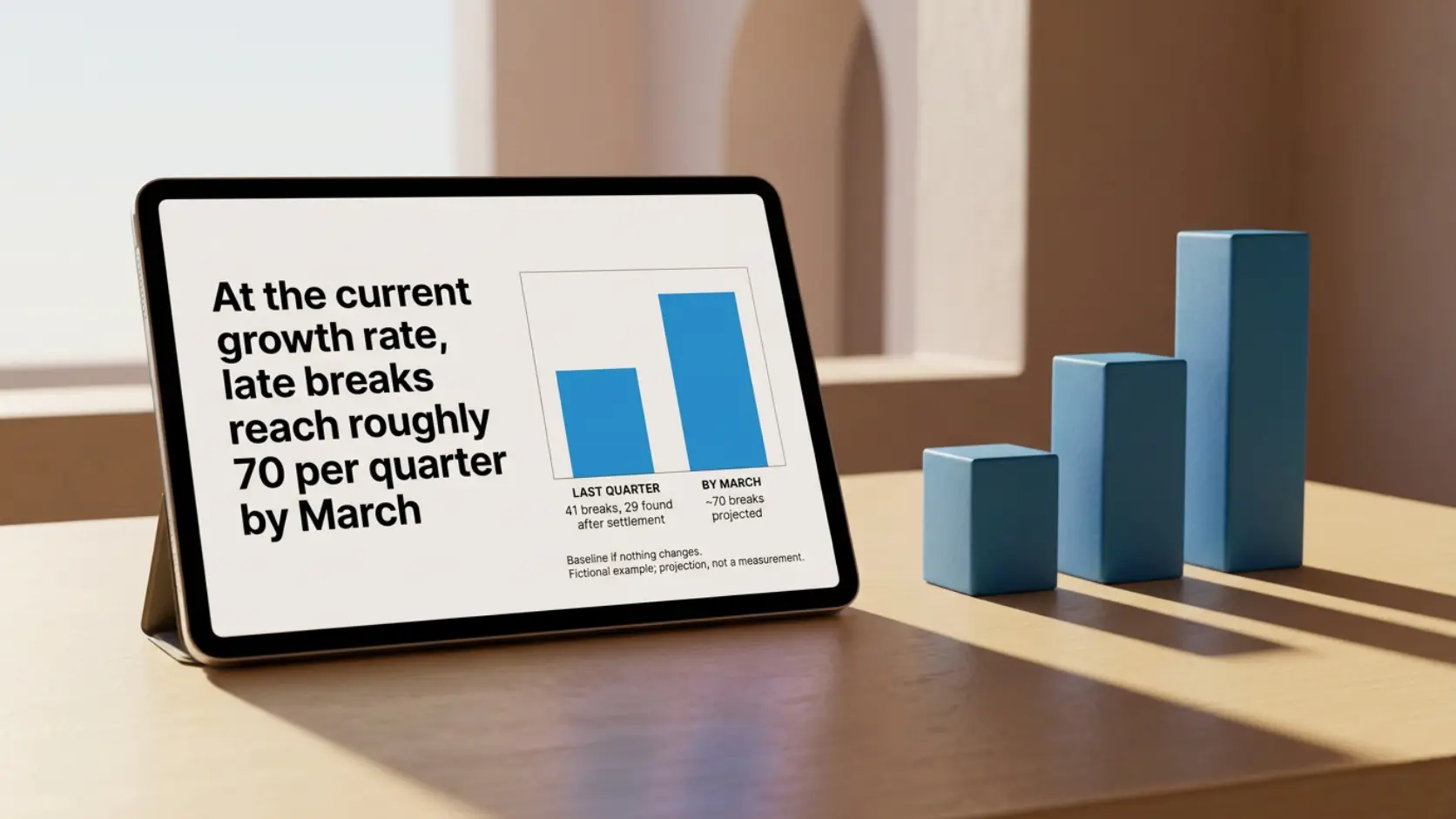
Slide title: At the current growth rate, late breaks reach roughly 70 per quarter by March
This is the slide most proposal decks skip, and it is the one that makes the others comparable. The UK Treasury's Green Book appraisal guidance treats business as usual — the outcome expected if current arrangements continue — as a benchmark carried through appraisal whether or not it meets the objectives, because every other option is measured against it.
Internal project proposals are not government appraisals, but the mechanic transfers. Without a stated baseline, the audience compares your project against an imagined future where the problem quietly resolves itself. Give them the real one, with its trajectory and its cost.
5. The approach
Slide title: Stream transactions into a matching service that flags breaks within the hour
Show the operating change: what happens today, what happens after, and where the difference lands. A short before-and-after flow beats a feature list, because the room is approving a change in how work happens, not a set of components.
Name the approach's own downside here rather than in the risk slide. A streaming pipeline needs on-call coverage that a nightly job did not. Saying it yourself is faster than being asked.

6. The scope boundary
Slide title: In scope: card and bank transfers. Out of scope: FX, refunds, ledger migration
An explicit out-of-scope list is what keeps the approval meaning what you think it means. Without it, the room adds adjacent work in discussion and the approved project quietly doubles before it starts. State what a later phase would cover and what would trigger it, so the additions have somewhere to go.
7. Resources, including what stops
Slide title: Two backend engineers for 12 weeks, $40,000 infrastructure, no new hires
List the money, the people by role, and the duration. Then add the line most decks omit: what those people stop doing. If the two engineers are currently on the merchant dashboard, the dashboard slips a quarter, and the room is approving that too.
| Resource | Amount | Source | Trade-off |
|---|---|---|---|
| Backend engineers | 2, for 12 weeks | Payments platform team | Merchant dashboard slips to Q1 |
| Infrastructure | $40,000 | Q4 platform budget | Within existing envelope |
| Data engineering review | 4 days | Data team | Scheduled, not additional headcount |
| Executive sponsor | 1 named person | Steering group | Decision on this slide |
8. The plan, with a checkpoint
Slide title: Shadow-run in weeks 1–6, cut over in week 9, full coverage by week 12
Give the smallest credible sequence, with a named gate where the project can be stopped or narrowed. Two or three milestones with dates are more useful than a fourteen-bar chart, because the audience is judging whether the plan is falsifiable, not whether it is detailed.
Mark the dependencies that are not yours: a vendor contract, a security review, a freeze window.
9. Risks with an owner, a signal, and an impact
Slide title: Duplicate matching during shadow-run is the risk that would delay cutover
For each risk, give four things: what could happen, how you would see it early, what it costs in date or money, and who owns it. A risk without an impact is decoration.
The Green Book also directs practitioners to explicitly adjust appraisals for optimism bias, described as the proven tendency to be over-optimistic about key assumptions, by increasing estimated costs and durations and decreasing estimated benefits. A twelve-week plan built from best-case weeks is the most common reason a proposal that was approved becomes a project that is renegotiated.
10. The decision, repeated exactly
Slide title: Approve two engineers and $40,000 for Q4; sponsor named today
Repeat slide 1 word for word, then state the three outcomes: what approval unlocks this week, what happens if the answer is no, and what the narrower fallback decision is. Often the useful fallback is not the whole project — approve a two-week spike, or name the sponsor who returns with the missing number.
Write the slide titles as claims throughout. Microsoft's PowerPoint accessibility guidance recommends a unique, descriptive title on every slide so screen-reader users can navigate the deck; in a proposal the same habit means a reader who only scans titles still receives the argument in order.
How this differs from a client-facing proposal
A project proposal asks an internal group for people, money, and priority against other work inside the same organisation. A commercial proposal asks a buyer for a purchase decision, and its centre of gravity is value, credibility, and price. If you are presenting to a client, the business proposal structure is the closer fit — more slides on alternatives and economics, fewer on internal opportunity cost.
The two decks share slides 2 through 5. They diverge on slide 7: only the internal deck has to name what stops.
Turning the written proposal into the deck
Most proposals already exist as a document before anyone opens a presentation tool. Split it by decision role rather than section order:
- Write the decision sentence. Verb, amount, date, decider. It becomes slides 1 and 10.
- Tag every paragraph as problem, evidence, baseline, approach, scope, resource, plan, risk, or detail. Untagged paragraphs go to the appendix.
- Merge duplicates. A document repeats its argument across sections; a deck states each point once, in the slot the audience needs it.
- Write one title per slide as a claim. If the title only names a topic, the slide is not finished.
- Check each number for source, period, and definition, and mark which are assumptions.
- Read the titles alone. They should make the case without the bodies — the ask with its cost and date, a source or an assumption label behind every number, an owner on every risk, and a fallback if the full approval is not available in the room. A no on any of those is a content fix, not a design fix, and it is cheaper here than after any layout work.
Those six steps are editorial and only you can do them. The seventh — splitting text across slides, choosing compositions, keeping typography and spacing consistent — is mechanical. Plainline takes the finished proposal text, splits it into editable slides, identifies which parts are claims, numbers, quotes, or conclusions, and applies consistent layouts. After generation you edit the content, slide order, semantic blocks, layout variants, and media, then preview, share, or export. Source text and presentations are encrypted before storage and are not used to train models.
Once the project is approved, the recurring deck that follows is a different shape entirely: see the project status update structure.
Frequently asked questions
How many slides should a project proposal presentation have?
Ten covers the questions an approval decision needs answered. Add a slide only when it settles something the audience must resolve before committing. Supporting detail, full costings, and technical design belong in an appendix.
What should be on the first slide of a project proposal?
The decision request, written as one sentence with a verb, an amount, a date, and the person or group who decides. Under it, the three numbers: people, money, deadline.
How do I present resources without making the project look expensive?
Show cost and trade-off together. Listing $40,000 alone invites a comparison against zero; listing it beside the work that pauses and the baseline cost of doing nothing puts it against the real alternative. Understating resources to get approval is worse than being turned down, because the renegotiation lands mid-project and costs your next proposal its credibility.
What if the group cannot approve the full request in the meeting?
Have a narrower ask ready on slide 10: a two-week spike, a decision on scope, or a named sponsor who returns with the missing evidence. Ending a meeting with no decision at all usually means the proposal offered only one door and the room could not walk through it that day.
Should the proposal deck include the alternatives we rejected?
Include the baseline of doing nothing always, and any alternative the room is likely to raise. One slide, same fields for each option. A comparison that only flatters your recommendation prompts the audience to reconstruct the rejected options live, which takes longer and reaches a worse version of your own analysis.
Sources
- The Green Book (2026) — HM Treasury / GOV.UK
- Make your PowerPoint presentations accessible to people with disabilities — Microsoft Support